How City Valet works
A valet meets you, parks the car and brings it back when you ask. Here is every step, from the first tap to the moment your car is back.
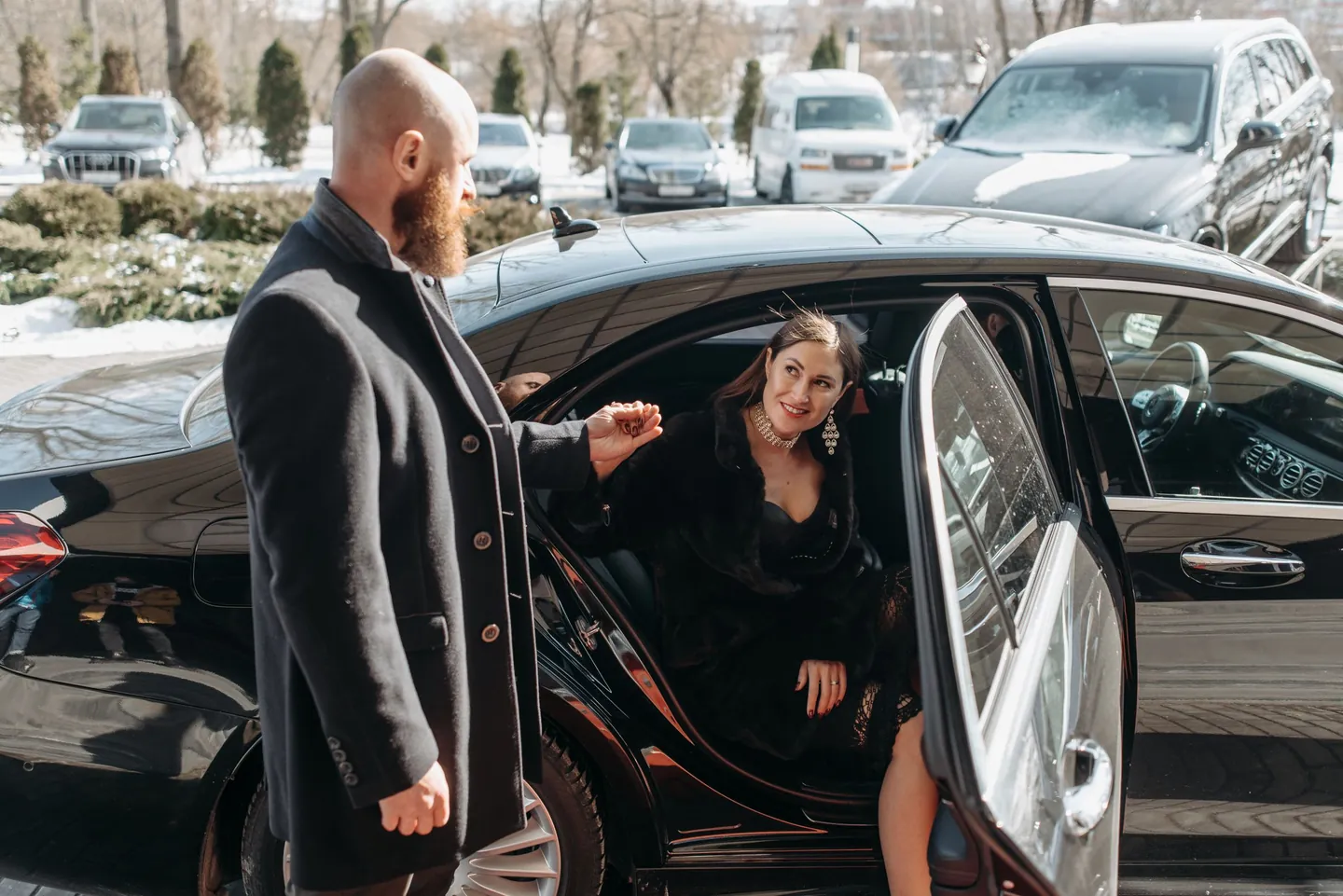
Two ways to start
Pick what suits the moment. Both end the same way: your car is parked and comes back when you ask.
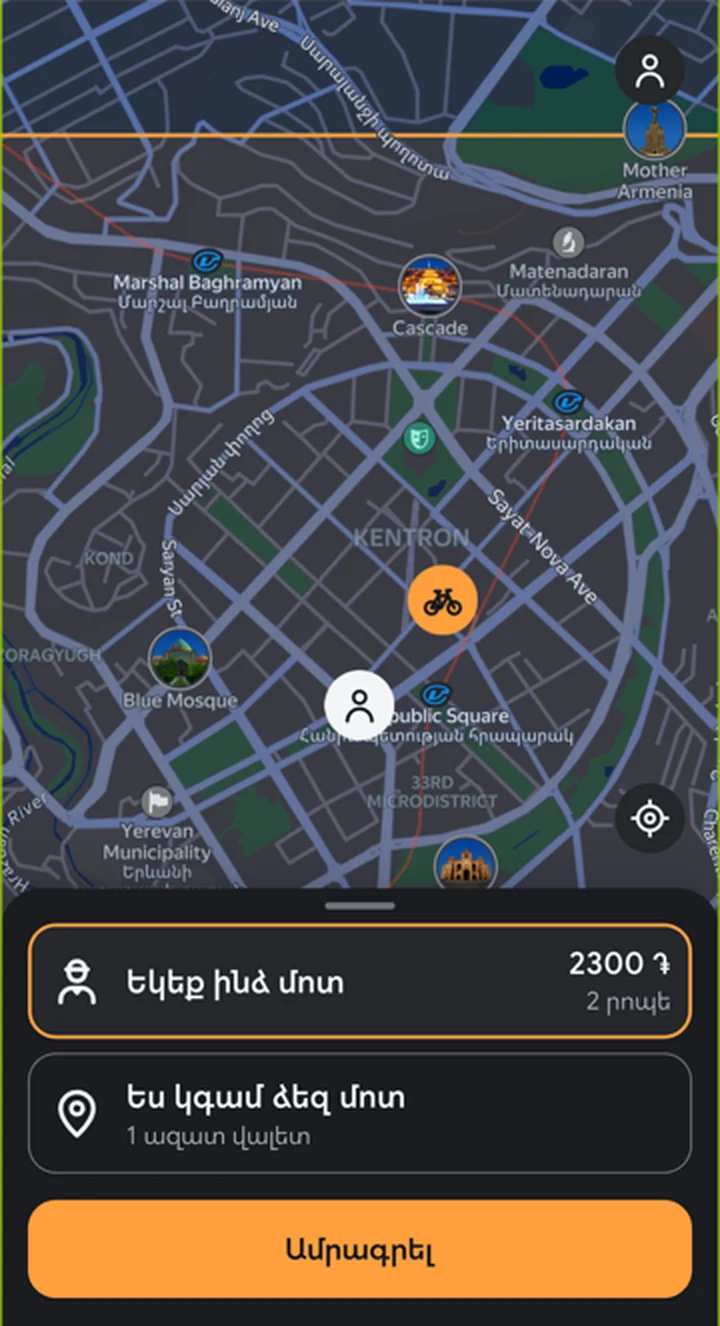
Come to me
Use your own location, or drag a pin to a spot inside the service zone. The system picks the nearest free valet for you.
I come to you
Choose a free valet on the map and drive to them. The valet stays where they are and waits for you.
The valet comes to you on a folding bike.
From handover to return
The same seven steps, whichever way you start.
Choose your car and see the price
Add your car once, with its plate. Before you confirm you see the price rule: 2300 ֏ for the first 1.5 hours, then 1000 ֏ per started hour.
Pay the first amount
You pay 2300 ֏ up front. The payment happens on your bank's secure page, with 3-D Secure if your bank asks for it. The valet and the parking spot are held for you for a few minutes while you pay.
The valet comes, or waits for you
You see the valet and the travel time on the map. You can call or write to the valet while the order is running.
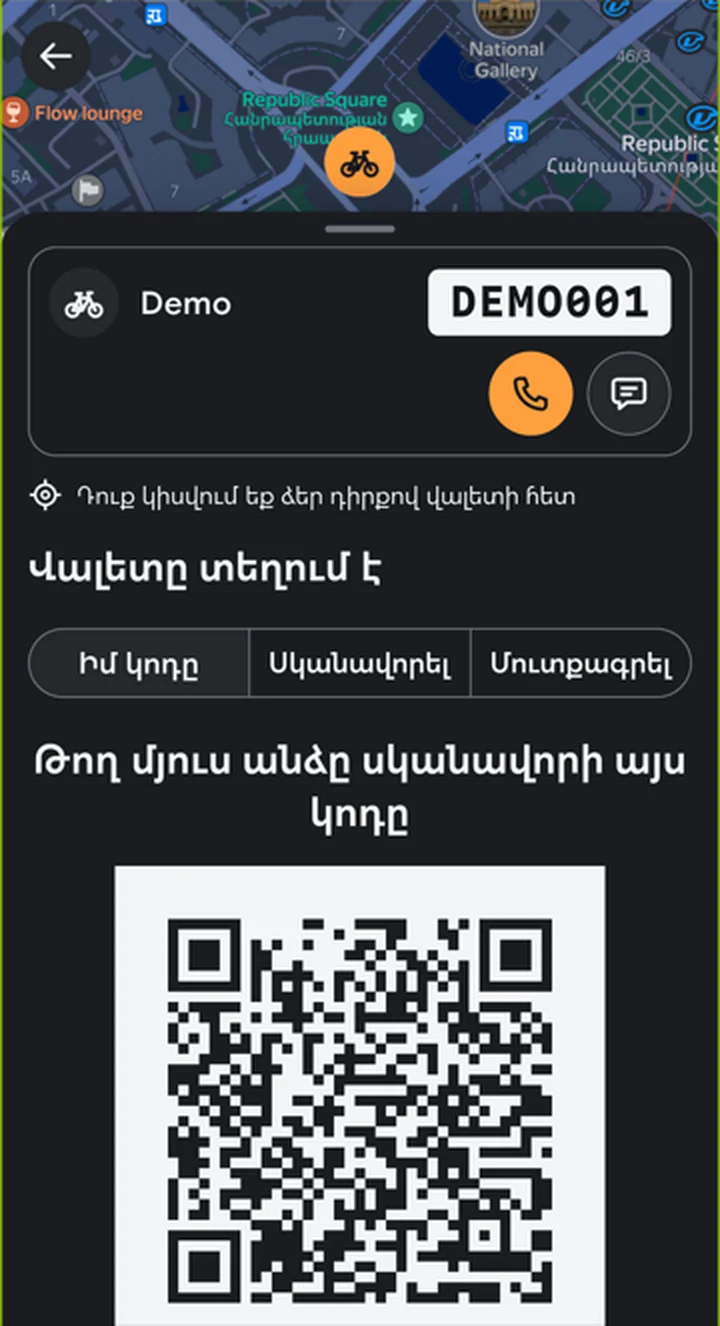
Handover with a QR code
You or the valet show a short-lived QR code and the other scans it. The scan at pick-up starts the clock. The valet photographs your car from six fixed angles before it leaves.
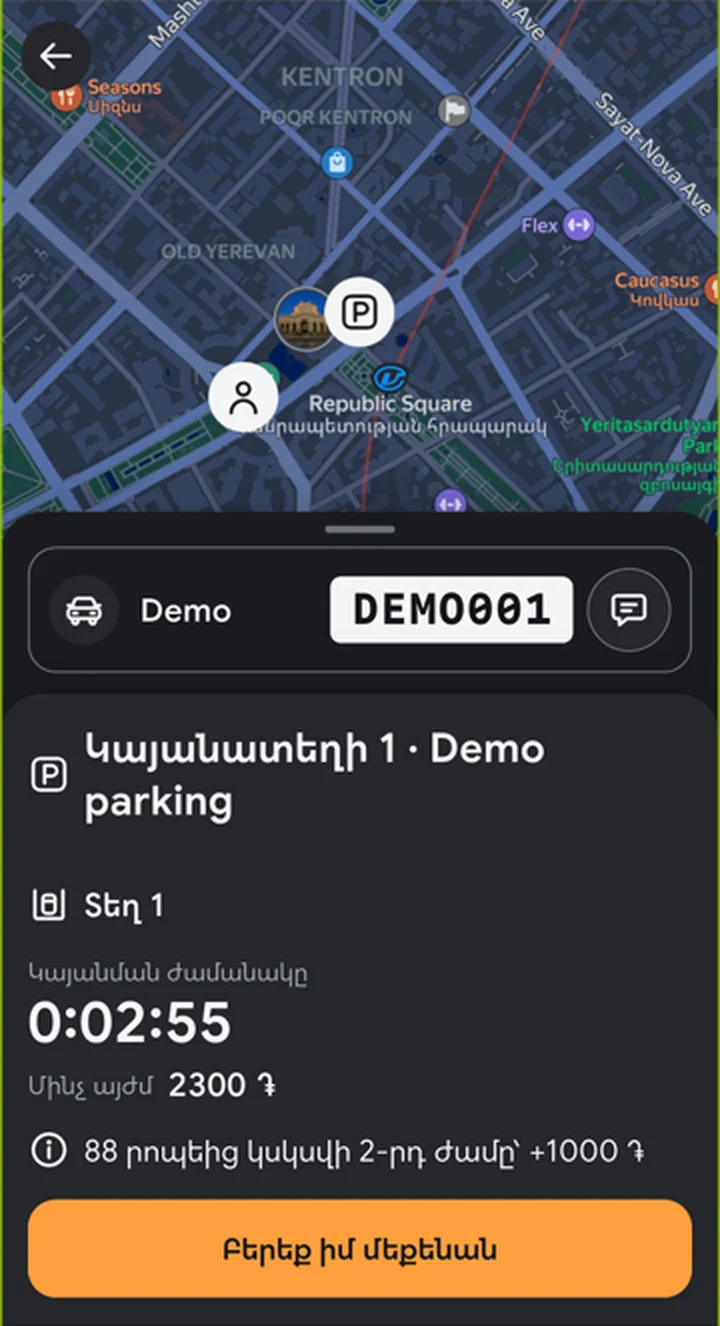
Parked in our own parking
The valet puts the car in our own parking and the key in a safebox. In the app you see the parking and a running clock, with a countdown to the next price step.
Tap “Bring my car”
The clock stops and the final amount is fixed. Any extra hours are charged to your saved card at that moment, and you see the amount before you confirm. If the payment does not go through, the clock keeps running.
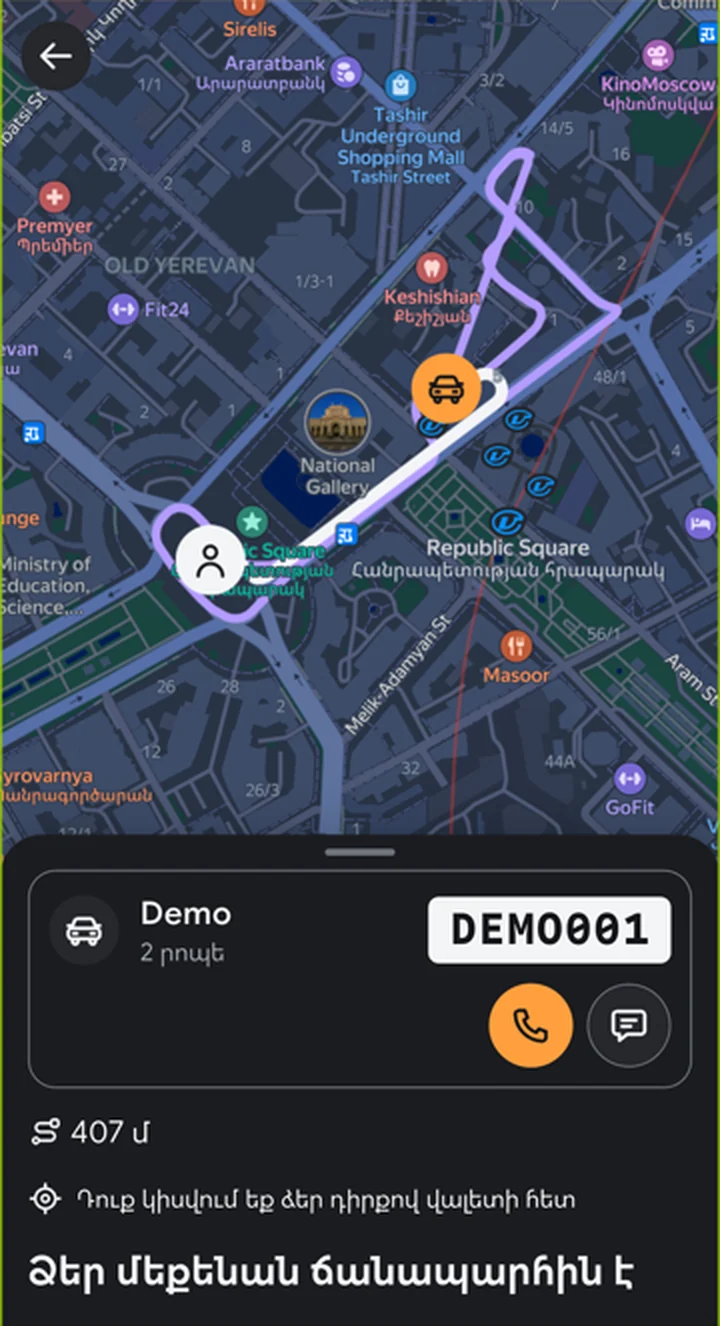
Return, photos and done
The nearest valet fetches the key and brings the car to a spot you choose inside the centre. They take six photos again, you or they scan the QR code, and the order is complete. The photos are saved with the order record.
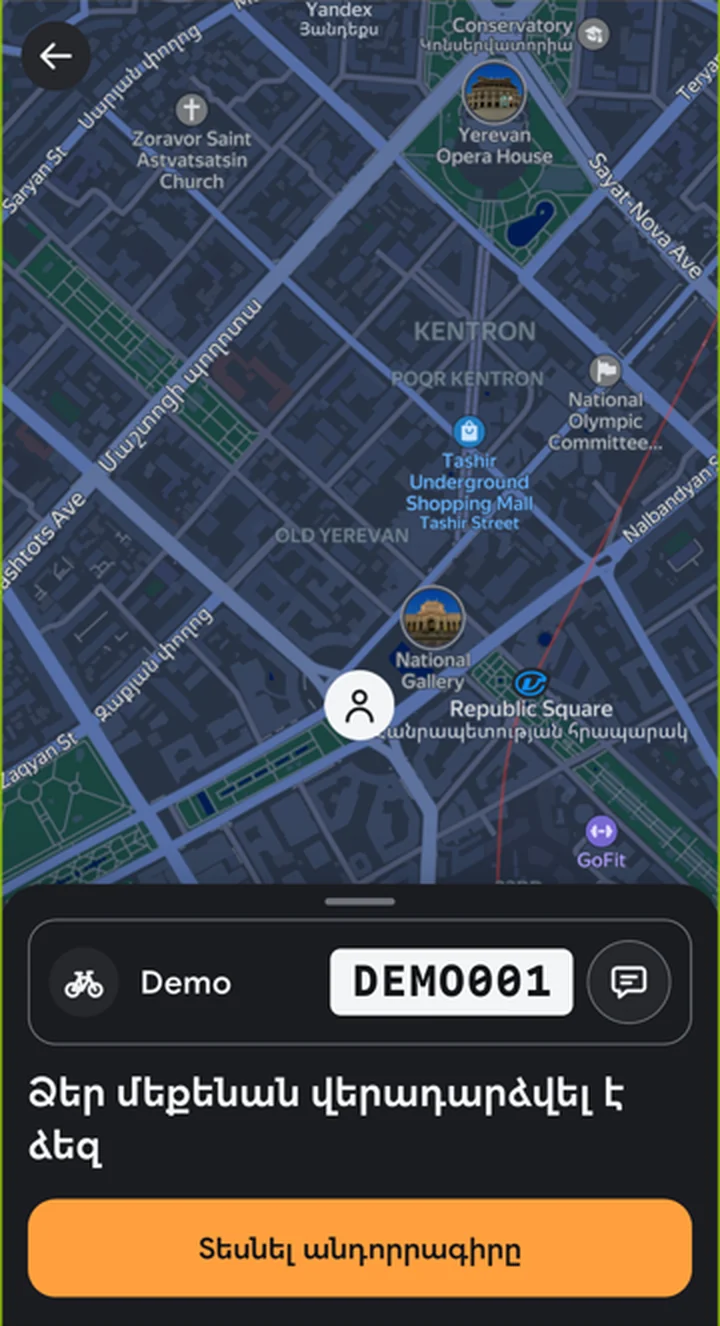
Follow everything live
Once your order is confirmed you see only yourself and your own valet on the map.
- The travel time to each other and the distance.
- The route, and the route the valet really drove.
- A bike icon while the valet is cycling and a car icon once they drive your car.
- A timeline: how long the valet travelled, how long they waited, how long parking took.
Paying
You pay the first amount when you book. Extra hours are charged to your saved card when you tap “Bring my car”. Card details are entered on the bank's page and never reach our servers.
Ready to try it?
Get the app and have a valet take care of your next parking.
 Coming soon
 Coming soon